Thursday, 12 February 2015

[How To] Get People To Buy Stuff From Your Blog

If your blog relies on advertising to earn money, chances are you haven't quit your day job. While advertising can bring in some money, the average blog earns enough to pay the hosting bill and little else. The blogs that do earn big money from advertising are the ones with massive traffic, multiple million unique visitors per day.   Chances are your blog will never reach that traffic level, and so your blog will not earn you a livable income from advertising alone. How can you make your blog profitable then? By following an age-old formula.  Brian Clark of CopyBlogger Media preaches the simplest approach to earning money online. Take a look at this three-step method to making money online. If you have a blog you already have taken the first step, which is to provide compelling and useful information. Chances are, though, that you're missing out on the third step: "Create valuable products that help your readers."  Others have written about how to create products to sell on your blog, but that's not what I came to talk about today. As a marketer I'm not as focused on the product itself as how to sell the product. That is, how to get readers to understand that the product can help solve a problem they have. If you follow this guide you'll find it easier to get people to buy what you're offering. Understand Readers' Problems If you run a successful blog, chances are you are in direct contact with many of your readers. Some readers are simply more social than others, and will email you to talk about certain issues. Maybe it's to praise or criticize a post, or maybe it's just to talk a bit more in depth. These conversations can reap big rewards when you're trying to market products.  In these conversations, readers reveal problems. They want to do something, but they don't know how. As a blogger you can fulfill this need by writing a post about it. But that post won't bring you any money. In addition, you probably can't really solve the reader's problem in the span of a blog post. You can address it, but you can't solve it.  The easiest way to market a product is to demonstrate how it solve someone's problems. If you create an information product that helps solve a long-standing problem of your readers, you can more easily market that product to them. After all, who doesn't want to solve all their problems? If you focus on the problem-solving aspect of your product, you will win many more customers. Focus On Benefits, Not Features When you write about a product you created or a service you provide, you probably want to talk a lot about the features of that offering. After all, it is yours, and so it must be inherently interesting. Unfortunately, this is almost never the case. Your customers aren't interested in the features you offer. They are interested in how the product or service will benefit them.  Chandeep understands this concept well. On his Services page he leads with a simple sentence that demonstrates the benefits of working with him: "We can offer a number of services that will reduces your efforts and to help on your blog development." He is offering first and foremost to reduce your effort and help develop your blog. Only after he talks about the benefits does he talk about the features of his service.  No matter how much you love your product or service, other people aren't going to feel the same. Think about it this way. You are the star of your own show, but every one of your readers is the star of his or her own show. As such, they're not interested in your star. They're interested in what it means for them. To sell something to them, you have to put yourself in their shoes. That means letting them know how they'll benefit, before you let them know the specific features. Make It Easy To Pay Even if you solve a reader's problem and show her exactly how she'll benefit from using your product or service, you still can lose the sale. In sales there is a concept known as friction, which refers to any obstacle between the prospect and the sale. The higher the friction, the lower the chance of closing the sale. All too often I see blogs offer great products, but at the same time make it very difficult for people to actually buy that product.  The biggest sticking point comes when it's time to pay for the product or service. The unfortunate truth is that most blogs will offer only one way to pay for service. That's a big mistake. In order to make the sales process easier, blogs must cater to their customers and offer them a wide array of payment options, including: Major credit cards Direct bank payment PayPal Other online money transfers The last point is important, because many people dislike and distrust PayPal. You can easily sign up for services like WePay, which is similar to PayPal, and at the same time gain the ability to accept credit cards and other payment methods. The more ways you accept payment, the easier it is for customers to actually pay you. Because without payment, you don't really have a product.  To create a product to sell on your blog is to understand the simplest form of conducting business. Ads might be easy, but they don't pay the bills. Offering customers solutions to their problem does. It takes plenty of work in creation, and even more work in marketing. But done correctly it's the most effective way to earn a profit from your blog.

If your blog relies on advertising to earn money, chances are you haven't quit your day job. While advertising can bring in some money, the average blog earns enough to pay the hosting bill and little else. The blogs that do earn big money from advertising are the ones with massive traffic, multiple million unique visitors per day. 

Chances are your blog will never reach that traffic level, and so your blog will not earn you a livable income from advertising alone. How can you make your blog profitable then? By following an age-old formula.

Brian Clark of CopyBlogger Media preaches the simplest approach to earning money online. Take a look at this three-step method to making money online. If you have a blog you already have taken the first step, which is to provide compelling and useful information. Chances are, though, that you're missing out on the third step: "Create valuable products that help your readers."

Others have written about how to create products to sell on your blog, but that's not what I came to talk about today. As a marketer I'm not as focused on the product itself as how to sell the product. That is, how to get readers to understand that the product can help solve a problem they have. If you follow this guide you'll find it easier to get people to buy what you're offering.

Understand Readers' Problems

If you run a successful blog, chances are you are in direct contact with many of your readers. Some readers are simply more social than others, and will email you to talk about certain issues. Maybe it's to praise or criticize a post, or maybe it's just to talk a bit more in depth. These conversations can reap big rewards when you're trying to market products.

In these conversations, readers reveal problems. They want to do something, but they don't know how. As a blogger you can fulfill this need by writing a post about it. But that post won't bring you any money. In addition, you probably can't really solve the reader's problem in the span of a blog post. You can address it, but you can't solve it.

The easiest way to market a product is to demonstrate how it solve someone's problems. If you create an information product that helps solve a long-standing problem of your readers, you can more easily market that product to them. After all, who doesn't want to solve all their problems? If you focus on the problem-solving aspect of your product, you will win many more customers.

Focus On Benefits, Not Features

When you write about a product you created or a service you provide, you probably want to talk a lot about the features of that offering. After all, it is yours, and so it must be inherently interesting. Unfortunately, this is almost never the case. Your customers aren't interested in the features you offer. They are interested in how the product or service will benefit them.

Chandeep understands this concept well. On his Services page he leads with a simple sentence that demonstrates the benefits of working with him: "We can offer a number of services that will reduces your efforts and to help on your blog development." He is offering first and foremost to reduce your effort and help develop your blog. Only after he talks about the benefits does he talk about the features of his service.

No matter how much you love your product or service, other people aren't going to feel the same.Think about it this way. You are the star of your own show, but every one of your readers is the star of his or her own show. As such, they're not interested in your star. They're interested in what it means for them. To sell something to them, you have to put yourself in their shoes. That means letting them know how they'll benefit, before you let them know the specific features.

Make It Easy To Pay

Even if you solve a reader's problem and show her exactly how she'll benefit from using your product or service, you still can lose the sale. In sales there is a concept known as friction, which refers to any obstacle between the prospect and the sale. The higher the friction, the lower the chance of closing the sale. All too often I see blogs offer great products, but at the same time make it very difficult for people to actually buy that product.

The biggest sticking point comes when it's time to pay for the product or service. The unfortunate truth is that most blogs will offer only one way to pay for service. That's a big mistake. In order to make the sales process easier, blogs must cater to their customers and offer them a wide array of payment options, including:
  • Major credit cards
  • Direct bank payment
  • PayPal
  • Other online money transfers
The last point is important, because many people dislike and distrust PayPal. You can easily sign up for services like WePay, which is similar to PayPal, and at the same time gain the ability to accept credit cards and other payment methods. The more ways you accept payment, the easier it is for customers to actually pay you. Because without payment, you don't really have a product.

To create a product to sell on your blog is to understand the simplest form of conducting business. Ads might be easy, but they don't pay the bills. Offering customers solutions to their problem does. It takes plenty of work in creation, and even more work in marketing. But done correctly it's the most effective way to earn a profit from your blog.

Wednesday, 11 February 2015

Some Reasons Why Bloggers Fail To Make Money


Do you make serious money from your blog?

Do you make any money?

About 90 percent of bloggers will answer no to the first question, and many of those will also answer no to the second. Making money online has never been more difficult. All of the methods we used a few years ago have become incredibly ineffective, leaving bloggers scrambling for new ways to earn. Many of them have stopped blogging completely.

You don't want to stop blogging, do you?

The good news is that you can, indeed, earn a decent income while blogging. In a recent guest post I talked about getting people to buy from your blog, which is a great way to turn traffic into money. But today the focus is not on how to make money from your blog, but rather why you're not making money right now.

1. Your Design Is Terrible

The old adage claims that content is king, but that's not necessarily true. It is at least prince, but there is one element that is probably more important: design. Think about it this way. If you visited a site that was poorly designed, would you even bother to read the content? Chances are you'd just leave and think that the page was spam. If your site isn't well designed, it doesn't matter what kind of content you have. 

Thankfully, there are many resources for fixing your design problems. Chandeep recently wrote a guide about design mistakes bloggers make, and it covers a lot of basics that I see on too many blogs. Most particularly, image sizes and fonts are the biggest errors that bloggers make. Make your text easy to read, and people will read it. It's really that simple.

2. People Can't Navigate Your Site

Navigation falls partly under design, but it is also a category unto its own. A website is not just a single page, but rather a series of pages that link together -- which is why they call it a web. Yet too many bloggers make the navigation process far too difficult. If people don't know how to get around your site, how are they going to become regular readers or customers? When people can't find their ways around, they tend to leave. 

What irks me most about poor site navigation is that it's so easy. The WordPress engine allows you to add a full and robust navigation menu, complete with drop-downs, on every single page of your blog. So why not take advantage? Create navigation bar entries for your most popular pages. Add drop-downs for categories and tags. Make sure there's a clear and click-able "home" button. In other words, make sure that you can get essentially anywhere on the site, no matter your current page. 

3. You Don't Make It Easy To Pay You

To repeat, selling stuff is probably the most effective way to make money blogging these days. Your readers are your potential clients. You can use your blog in large part to inform and entertain them, and in small part to steer them towards your products. It is a balance that has worked for many a blogger seeking to make more money than is available through CPM advertising. Yet even bloggers who get the balance right sometimes don't execute the sale correctly.

The No. 1 rule for any sales process is to make it as easy for the customer as possible. Don't make them fill out extra forms. Don't make them hop around to different sites. The fewer steps between adding an item to a cart and successfully completing an order, the better. Offering more ways to pay also helps. Sure, PayPal might work for some, but not for all. Offering mobile payments is another way to make things easier for your customers. Ease leads to sales. It's the one lesson any online businessperson should never forget. 

4. You Created Your Site To Rank In Google

In the mid-00s there was a gold rush on the internet. Google had risen to prominence, and by 2003 or 2004 it was driving obscene amounts of traffic. If you ranked highly for a commercial search term, you were almost guaranteed sales. That's when SEO really took off. Of course, when Google realized all the money people were making within its ecosystem, it decided it wanted a larger slice of that pie. In recent years they have made it much more difficult to rank for highly commercial search terms.

This is a problem for bloggers who create their sites with an eye on ranking. Those practices have been flagged by Google. Bloggers who used them in the past have been penalized, and those who continue to use them will continue to get penalized. While you might not rank as highly as before, it is highly recommended that you follow Google's guidelines for high quality sites. Google shouldn't tell you how to make your site, but you should also recognize Google for the potential sales it can bring -- if you do it right.

5. You Don't Make Yourself Visible

When people buy something, they want to know the source. Big brands have a huge advantage here. They're instantly recognized, and so people trust them more naturally. When you're a blogger trying to sell products or even services on your site, you have to be forthcoming with people. So smile for the camera and be prepared to divulge a lot about your self. The more people get to know you, the more likely they will be to trust you with their money.

Here are some quick tips for better visibility:
  • When you design your site, leave room for a headshot on the front page.
  • Tell a full story on your About page. Not just what you do, but who you are.
  • Provide your email address. Contact forms just don't cut it.
  • Link to all of your social profiles
If you're failing to make money with your blog, chances are you're failing at one of the points listed above. As far as I've seen, they're the biggest reasons why people fail to make money online.

Let me know do you experienced any of them or do you have any other reasons that blogger fail to make money.

How To Protect Your Blog From Being Copied


This is a Guest Article Written by Joe Pawlikowski, Who writes and edits for several blogs, earning his living through blogging and consulting.

You wouldn't walk into a book store and steal a novel off the shelf, would you? What about a magazine off the rack? 

For most of us, physical theft is unthinkable. We wouldn't shoplift as much as a candy bar, never mind a book or magazine. They don't belong to us. If we want them, we have to pay. Just like everyone else. 

So why is it that people feel free to steal content on the internet? How is stealing a blog post different than stealing a magazine? In both cases you're taking something that someone else created. Yet people steal on the internet without a second thought. 

People steal on the internet for two primary reasons. 

"The Internet is the world's largest copy machine. What the Net does is it copies things."

Copying is part of the Internet's DNA. Your site copies itself many times, on archive pages. As you can imagine, creating a tool to copy the internet isn't difficult. 

The second reason: you can access internet content from anywhere for free. Yes, you can access book and magazines for free inside a store. We've all seen people sitting down in a book store aisle reading a book. But you can't take the book from the store without paying. With a blog, you can read it anywhere. Hence, people are more apt to think that because it is free, it is also free to take.

Let us be clear: it is not OK, in any way, to take someone else's content. It belongs to them, just as a book belongs to the store. (And the content belongs to the author or publisher.) 

Let us be clear on another point: it is the owner's job to police theft. Book stores have security measures that detect theft. Publishers seek out people reproducing content without permission. Though they don't have the same resources available, bloggers are responsible in the same way. If you want to prevent people from stealing your content, you have to protect it. 

Bloggers, Who are serious about ownership of their content will heed the following tips.


How To Protect Your Blog From Being Copied

Table of contents
  1. Put thieves on notice
  2. Mind your images
  3. Set up RSS footers
  4. Hire a monitoring service
  5. DO NOT prevent right clicks
  6. Conclusion

Put Thieves On Notice

When people take content, do they even understand that they are stealing? The internet's propensity for copying has blurred the concept of ownership. 

Information wants to be free, right? Sure. People want to be free too, but that doesn't mean we don't demand wages for our labors. It seems that people have confused the different definitions of the word free. 

Still, this raises a relevant point. If people don't think they're stealing, it becomes incredibly difficult to stop them.

Even the simplest of measures can deter thieves who don't understand that they are stealing. Consider adding some of the following to your site.

Copyright footer. These are common and easy to add to your site. You can place the notice right in your footer. © 2014 YourSiteName.com. It's that simple. Note: make sure you keep the year up to date.

DMCA badge. The Digital Millennium Copyright Act lays out pretty strict copyright rules for digital content. No one wants to receive a DMCA takedown notice. Use this WordPress plugin to place a DMCA badge in your sidebar, in a prominent position so everyone can see it. 

Terms and Conditions page. The problem with a copyright footer: many people will never see it. That's why the DMCA badge is a nice addition. Another great addition is a terms and conditions page. You can state, in no uncertain terms, that you own the content on the site and that is not available for reproduction. Don't know the legalese to create a T&C page? Check out this T&C generator

Trademark symbol. Did you know that anyone can use the ™ symbol? It is not reserved for registered trademarks. That's the ® symbol, which you absolutely cannot use unless you own a federal trademark registration. If you didn't know that, chances are many people also do not know that. (Even if you did know that, it still holds true; most people do not know.) Slap the ™ symbol on your blog title. It lends you a sense of authority and could deter thieves.

Mind Your Images

Here's an oddity about copying on the web. Many people know that copying text is wrong. Teachers dedicate entire class sessions to plagiarism. They remind students before every paper that it is wrong to steal other people's words. 

Because we didn't include images in papers, we never learned that it is wrong to steal them, too. Perhaps that's why people think it's OK to take anything found in a Google Images search and use it. But just as copying and pasting text is wrong, so is using someone else's image.

If this practice is so widespread, how can you protect your own images? If you host original photography on your site, it is in your interest to protect it. Images have become paramount on the web. Yours gives you an advantage, and you shouldn't give away that advantage to anyone else. 

Here are some resources that will help you manage your website's images.

Preventing right clicks. If you've scrolled down you already know that I don't prefer this method. Right clicking on the web is natural. You can do much more than just copy stuff with a right click. This WordPress plugin prevents right clicks only on images, so it's not as bad as blocking right clicks in general. But it's still not preferable. Why treat your readers like thieves?

Watermark your images. If you work with Photoshop or Illustrator, watermarking your images is easy. You can even use a WordPress plugin. The downside: watermarking doesn't prevent theft. People will be less likely to reuse a watermarked photo, at least. The problem is the practicality. If you place a watermark in the corner, as the WordPress plugin does, users can just crop it out. If you place it in the middle, the image gets distorted. 

Hotlink blocking. Sometimes people get really lazy. Instead of downloading your image and uploading it to their own servers, they will just link to your image. So not only are they stealing your work, but they're taxing your server. How rude. There is a WordPress plugin that prevents other sites from hotlinking your files. I recommend this in general, beyond image protection.

Run image searches. If you have a handful of original images on your site, run them through Google Image Search By Image every so often. It can get to be a tedious task, especially if you have a high volume of original images, but you can identify content thieves on the spot.

Set Up RSS Footers

So far I've mentioned "people" who steal your content. Truth is, humans only directly steal content in a fraction of instances. It is more common for them to set up automated scrapers to steal your content. And someone else's content. And someone else's. It's quite easy to steal massive amounts of content.

The bad news: there isn't much you can do to stop scrapers. There's no magic code that will send them away from your site. You can put in place deterrents, but many of them hurt your human readers. For example:

Truncated RSS feeds. Sure, they might increase click-through rate. But if you go from a full feed to a truncated feed, you'll upset your readers. Subscriber numbers will fall. Is deterring scrapers worth hurting the people who enjoy your site?

If you're starting a new site, perhaps setting the tone with a truncated feed will work. Even then, good scrapers can get by that. Back in the days of Google Reader, there were plenty of plugins that could turn a truncated feed into a full feed. You think scraper bots don't have the same ability?

Unfortunately, another popular deterrent isn't much of a deterrent at all.

Add an RSS footer. Since the late 00s bloggers have added some kind of RSS footer to their feeds. It hasn't deterred many scrapers. The good news is that while scrapers can, and often do, remove links from posts, they have a tougher time from feed footers. Try a WordPress plugin like this one. It's worth a try, at least.

You can try other methods, such as watermarking your photos. This blogger saw a reduction in the number of sites that would scrape his content once he watermarked his images. As described above, watermarking isn't a cure-all. It has its own problems. But if it deters a few scrapers, perhaps it is a worthwhile practice.

Hire A Monitoring Service

Let's get real. If you want to protect your content, you will have to pay. No, this isn't some mafia-type job where people steal your content and demand payment to stop. There are plenty of services that can help you keep track of your content and put thieves on notice.

Before you move on, this isn't for hobbyist bloggers. If you don't make money from your blog, then you probably can't afford to pay for a monitoring service. But if you're reading BlogTipsNTricks.com, chances are you make money. If you don't, that's your goal. If so, you have a huge interest in your content. Investing in monitoring and protection will prove worthwhile.

You can try a few different options. I have my own preference, which I'll share in a minute. 

Copyscape. If you want to know when people copy your content, you can sign up for Copyscape's copy protection services. It will cost you a bit: 5 cents per search, or you can sign up for their weekly service. But again, if you value your content, you'll have to pay some fee to examine duplicate usage. 

Mention. An alternative to Copyscape is alert service Mention.com. It costs $30 per month for the business grade, which is what you'll need. You can set up 10 alerts, which notify you when another website has mentioned you. Set up certain phrases within your post, which you know are unique, to see when someone has copied your work verbatim.

Virtual assistant. Here is the most expensive option, but also the most useful. As you know by now, you can outsource administrative tasks to a virtual assistant. It will cost you a fraction of what you'd pay a full-time assistant. (And good luck finding a part-time one who can do the job well.) An assistant can do a more thorough job of monitoring stolen content. Unlike Mention and Copyscape, a VA can find images, send out takedown notices, and file the proper DMCA paperwork. 

I prefer the virtual assistant path by a mile. I've enjoyed working with Worldwide101 virtual assistants, because they do more than admin tasks. Not only will they look for stolen content, but they can take action. After all, what good is knowing that people stole your content if you do nothing about it? A good VA can draft takedown notices, file DMCA paperwork, and handle outreach on your behalf. It might be more costly than Mention or Copyscape, but the investment is worthwhile.

DO NOT Prevent Right Clicks

Before wrapping up, I want to impart one important lesson. Getting your content stolen can be a frustrating experience. No one enjoys it. Sometimes we can overreact and do things we'll later regret. 

Please, for the love of your readers, do not prevent right clicking in general. It's bad enough if you do it for images. If you prevent right click on your entire website, I'm leaving. Many others are leaving. Not only are we never coming back, but we're going to a competitor. 

Even if you are unique in your industry, I'll find an alternative. Barring right clicks is downright offensive. You're saying the only reason to right click is to steal. That's ridiculous. Maybe I want to open a link in a new tab -- so I can stay on your site. Maybe I want to use the many plugins I have with right-click capabilities. Maybe I want to do any of the dozen things you can do with right click that don't involve copy and paste. 

And you know what? Maybe I want to copy/paste a sentence to share. If you prevent me from sharing your content except on your exact terms, then I'm not interested. There are too many sites on the web. I can spend my time in a million different ways. Why would I spend it on your site, if you're treating me like a criminal the moment I visit? 

Conclusion

No matter how much work you put into protecting your work, people and computers will steal it. The internet is a copy machine. That's the nature of the beast. You can only accept it, and then take measures to make it less harmful for your blog and your business.

(Though this should tell you a lot about the nature of business on the internet. If you base your business on things that others can easily copy, you might be in trouble.)

When you're starting out and small, undertake these tasks yourself. Let people know that your content is not free to take. Use free tools to see who has used your content. Install the necessary plugins. 

As you grow, you'll need more power. Sign up for alert services. Or better yet, hire a virtual assistant to take care of that task. You'll need some help anyway -- no one can do it alone. 

Your content is your advantage in business. Don't let others take away your advantage. Stay on top of content theft.


Thanks for your support and patience. :)

Techy Blogger Template


Description

Techy is specially designed for those, who are looking for a template in order to share the latest news, discoveries, articles, tutorials, some hot tips with your readers. Techy is also a best choice for sharing things on the web with the audience and to run a website that will have in and out information about a particular subject. Techy Blogger Template comes with a stunning design, stylish features and fully responsive nature which is perfect for creating online news, magazine or gossip websites in no time at all. Techy Blogger Template is a responsive design; which means it can fit seamlessly into any screen size without any visual jerks. It uses the best clean SEO practices, and on top of that, it’ s fast, simple, and easy to use.


Windows 8 Gets New Metro Style Logo, Goodbye Windows Flag

Windows 8 Gets New Metro Style Logo, Goodbye Windows Flag

There were many rumors lately that Microsoft is going to use a new Windows logo for Windows 8. But now Microsoft has officially confirmed this rumor.
Today at Windows Team Blog, Microsoft announced about new Windows logo which will be used for Microsoft's upcoming OS Windows 8.
According to Microsoft, Windows 8 is a complete reimagination of Windows operating system. The Windows logo is a strong and widely recognized mark. In some ways you can trace the evolution of the Windows logo in parallel with the advancements of the technology used to create logos. From the simple two color version in Windows 1.0 to the intricate and detailed renderings in Windows Vista and Windows 7, each change makes sense in the context in which it was created. As computing capabilities increased, so did the use of that horse power to render more colors, better fonts, and more detailed and life-like 3D visual effects like depth, shadows, and materiality. And what started as a simple "window" to compliment the product name became a flying or waving flag. But if you look back to the origins of the logo you see that it really was meant to be a window.
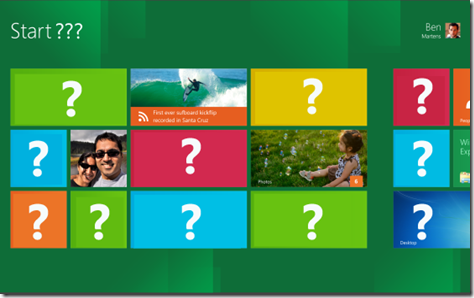
Following is the brand new Windows 8 logo:
Windows_8_New_Logo.png
With Windows 8, Microsoft approached the logo redesign with a few key goals on mind:
1. Microsoft wanted the new logo to be both modern and classic by echoing the International Typographic Style (or Swiss design) that has been a great influence on Metro style design philosophy. Using bold flat colors and clean lines and shapes, the new logo has the characteristics of way-finding design systems seen in airports and subways.
2. It was important that the new logo carries Metro principle of being "Authentically Digital". It does not try to emulate faux-industrial design characteristics such as materiality (glass, wood, plastic, etc.). It has motion – aligning with the fast and fluid style you'll find throughout Windows 8.
3. Microsoft's final goal was for the new logo to be humble, yet confident. Welcoming you in with a slight tilt in perspective and when you change your color, the logo changes to reflect you. It is a "Personal" Computer after all.
So what do you think about this new logo? Like it or do you find it too simple? Feel free to share your feedback about this new Windows 8 logo...

Auto Share Blog Posts on Facebook and other Social Sites

If you think writing a blog post is over when you hit the publish button, Hello I think you should take a shower. Blog posts, (no matter how epic they may be) are useless unless you promote the heck out of them. If you don’t know how to manage time to promote blog posts, where to share your blog posts or are looking for ways to automatically share your blog posts on facebook, twitter, Google Plus etc., this is the post you had been looking for. This post tells you how to manage social media promotions the smart way.
Writing the blog posts were always the mid-step to successful blogging, the other half includes sharing the post with other relevant people, and readers who would find it useful. Unless you are one of the kinds of sites John Morrow has or Darren Rowse has, it’s you who has to go tell people that your blog is updated not the other way round.
Social media is no bad and is equally a blogging strategy like research or SEO. But, my point is why you should waste time on a thing that can be automated or left on auto-pilot. Here are some kickass tips on promoting your blog posts automatically as soon as they are published on auto-pilot.
Read mindfully the tips for social sharing of your blog post given and you will save hours in promoting your blog post on social media.

Auto Submission to Multiple Channels:

After writing a blog post we have the tedious task of promoting our post to maximum social networks and other blogging communities. Here is what I use to get the hard work minimized. In this section we will talk about how to submit posts without any work on our end, automatically as and when it is published.

1) Onlywire

Onlywire is an awesome tool for bookmarking your posts to nearly 30 sites simultaneously without even a single click. All you need to do it get an account on the platform and add your blog RSS to your profile.
Onlywire is probably the best free alternative to automated social posting. It is available as web form, a share button for your website and also as browser extension and WordPress plugin. It posts up to thirty networks for free and up to 50 networks and three RSS feeds (that means three blogs) in paid mode. For 90% of us free mode is enough.

2) Twitterfeeds

Tweeterfeeds is really a good service to make automated publications on social media. It can automatically publish blog posts to your selected social media channels as and when your posts happen. Twitterfeeds recognizes blog post through your blogs RSS feeds and then promotes them to either or all of your social media channels.
You can publish your blog posts to Facebook, twitter, LinkedIn and Facebook pages. The advanced settings of twitterfeed allow you to choose what is published post title + post description or only description. You can also have settings of posting specific posts or excluding them based on keywords.

3) Hootsuite

Hootsuite is just more than an auto poster to social networks. It does pretty more than just sharing and includes tasks like scheduling updates, monitoring social analytics etc. You will read more about other awesome features of hootsuite later in the post.
For now the auto-posting feature of hootsuite is not as bad as twitterfeed. You have got more channels to promote your stuff like the Google plus pages, and LinkedIn company pages which twitterfeed doesn’t allow.
Moreover you can have separate settings for separate social media channels so that your tweets are different from your Facebook updates and vice versa.

4) SNAP PRO

SNAP or Social Network Auto Poster is a product of the NextScripts and they have designed it pretty better than anything else like this. If you are into auto posting alone and can manage scheduling and analytics I suggest SNAP Pro is the best and even better than hootsuite (considering auto posting alone).
SNAP pro allows you to auto post to various social networks and probably the largest number of social networks. SNAP PRO allows you to post to 100 or 150 number of same social networks; no restrictions. Using it, you can post to more than one account in each network no matter it be 100 Facebook accounts, 20 twitter accounts or 10 LinkedIn accounts.
Other features of SNAP include:
  1. Customization of messages in each social network that can be anything post title, post description, Meta data, featured images, blog post excerpt and lots more.
  2. All customizations are offered when you are publishing a post that means in the post editor mode. You can from here deselect a network if you don’t want a particular post to be published or shared there.
  3. The price is just 49$ as a onetime payment which is nothing as compared to the functionality it offers. It is the game changer in the era of bulk social posting.
  4. As you create your own apps NextScripts do not use “posted via SNAP” etc. tags so that your posting appears natural on all the places and the feature that you can customize it for each network does not make the statuses appear weird?

5) Jetpack Publicize

Jetpack is a special plugin especially for WordPress bloggers that are yet to explore the rich functionalities of WordPress.org. Jetpack is like a backpack that has almost everything you need. The publicize feature of jetpack allows you to automatically share your WordPress posts to various social media channels too. Although it may seem lucrative but as they say all things that come free come with a hidden price. People using the jetpack plugin complain that they have been cheated by jetpack which uses your brand power to promote WordPress.com which is its parent company. Yes when you post an update via jetpack the status appears as “Jack posted on WordPress” instead of “jack posted on yoursite.com”, the link also shows no sign that it is from your blog. So if you are okay compromising your brand with a free stuff you can opt for jetpack otherwise as I said SNAP PRO has no substitute.

6) Social Maximizer

Social maximizer is an awesome auto posting tool for social network and help you to share your posts to about 425 social networks in a row. This means you got 425 social shares only as soon as you got your post published. Imagine how good such social proof can be good for your blog. It will bring immense traffic if one visitor comes for each share you get an approx. 400 visitors as soon as a post is published.
It will also give you the chance of getting quality backlinks which is good in terms of SEO. I think its price tag of just 5$ is too low for the functionality it provides but that is what we as customers want.

Publicity that initiates after a small social action:

Triggering on social action means you do a small deed and gets huge social shares by default. Though this is not essentially auto posting but comes in the dimensions of automated social shares. There are many sites that are community based and you post each other’s stuff and in return they post yours. This can strategically use as an automated process by giving atleast 15-20 minutes week time and gain auto shares and tweet through the week.

1) Triberr

Triberr is a social network/community for bloggers. You can use it to get in touch and build relationships with influencers in your niche. Once you have a set tribe of your own or are a member of any tribe there, you have to invest as little as 10-20 minutes a week to interact and share the stuff of the tribemates. This will bring you on their radar and they will start sharing your posts as and when they are live. Triberr is also RSS based so if someone has put you on auto post your posts get shared to their social networks (twitter, Facebook) as it is caught by the RSS reader in triberr.

2) SocialAdr

SocialAdr is just like other tweeting services like Justretweet. Here you are expected to share other people stuff (as I said never invest more than 20 minutes in this) and they will share your stuff. It is on a point basis where you are deducted with one point (you earned by sharing other people’s posts) for each share of your own post.
It has one benefit that you can add various social media channels and not only twitter. SocialAdr as of now supports many channels like Facebook, twitter, LinkedIn, Ello to name a few.

3) Viral content buzz


Viral content buzz is co-founded by Ann Smarty a household name for expert bloggers. Here you get the awesome service of getting shared by industry influencers alone. It works on a point basis and it gives you points based on the followers you have on a social network. If you have 25000 followers on twitter it will give you some 5 points (approx.).

4) Buffer

Buffer is a scheduling and bulk social posting tool that has both free and paid plans. You can manually add links and posts with only text or pictures on it or use its browser extension to share a webpage directly on the social profile. Through buffer you have to literally invest less than 60 seconds to schedule a page to be shared across different social channels and that too at different times for the week.
The new scheduler allows you to schedule updates as well as customize it according to your platform and that too at your preferred time of the week. Investing less than a minute can give you unlimited social sharing automatically for the time coming.

5) DOshare extension for Chrome

Do share is a must have tool for people concentrating on Google Chrome. This tool helps you to share and schedule your updates to Google plus. These posts will then be shared automatically to your profile at the set time.

6) Hootsuite

Hootsuite is the undisputed king of automatic social sharing tools. It has a hugely user friendly interface and has much much better features than buffer has. You can publish to various channels with a single click and it also allows automated sharing via the RSS feeds as we discussed above. I love this feature which ensures automated post sharing plus scheduling plus analytics all under one hood.
Hootsuite allows you to promote blog posts across multiple social networks, empower your team by assigning tasks to each of your team mates, in depth analysis of your shares, vanity URL and much more. Why don’t you try all these features for free for a full month by signing here?

Over to you

The ultimate list of social sharing tools (automated) goes on, what’s important is you should choose one that is power packed and value for money. There is no point in wasting time in manual labor when investing a few bucks can get the task done automatically and that too in a very efficient way. For me I trust a tool that powers social management of brands like WWF, Virgin etc. I suggest you to try Hootsuite and that too for free (for a full month).